Practise your viva on your report
Upload your project report. An AI examiner reads it, asks spoken questions about your own design choices, follows up when an answer is weak, and shows exactly which part of your report to revise.
...or paste the text instead
Your report, as the examiner sees it
Sections indexed for retrieval
The report is split into numbered chunks. The judge looks answers up in these chunks; chunks marked evidence back a planned question.
Follow-up
My progress
Saved only in this browser. Nothing about your answers is stored on the server.
No vivas yet. Practise once and your scores will appear here.
Score per attempt
All attempts
| Date | Report | Questions | Strictness | Score | Verdict |
|---|
How VivaVerify works
- Upload. Your report is split into short numbered chunks and indexed with BM25 keyword search.
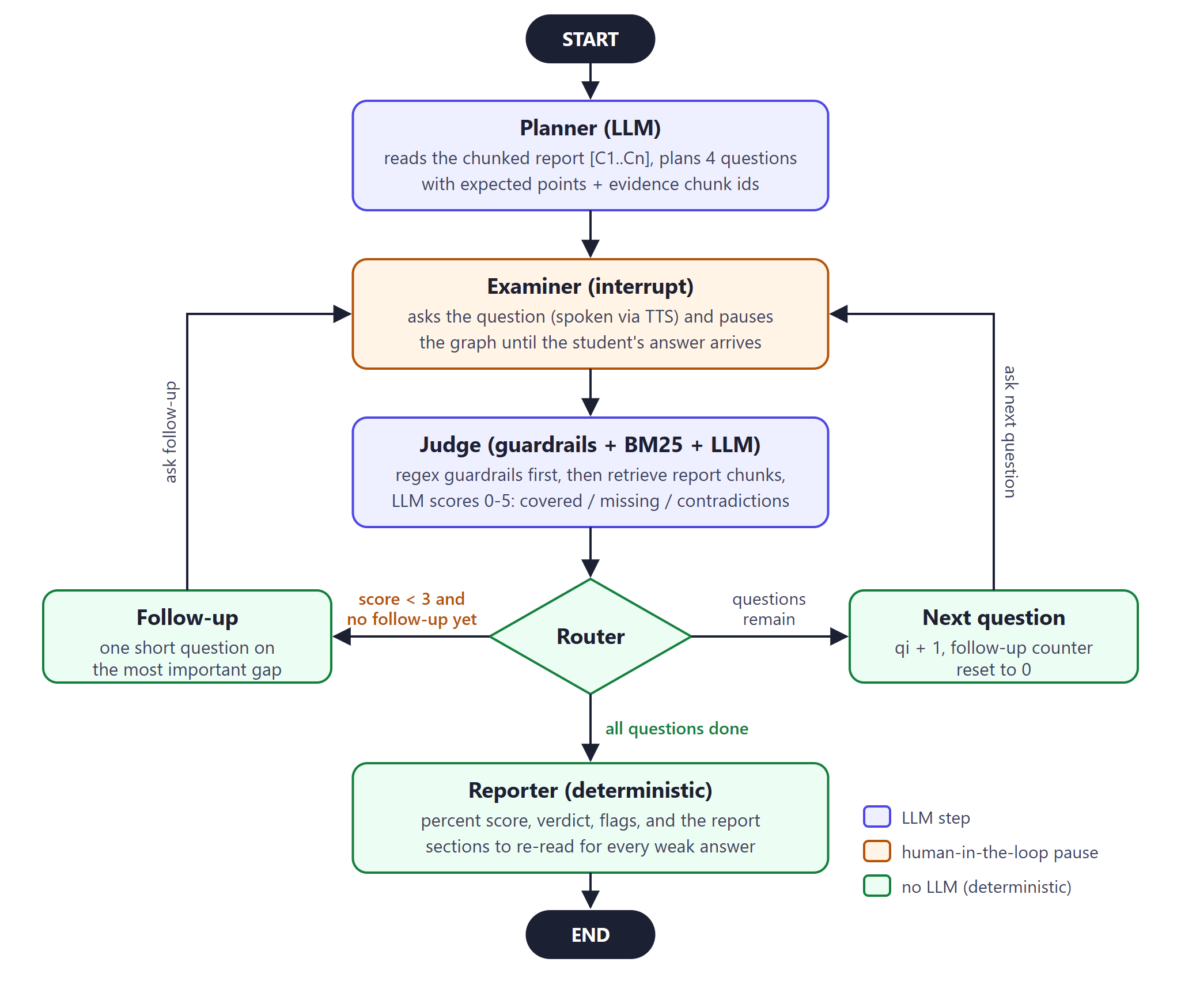
- Plan. A planner LLM reads the whole report and picks questions on the problem, a design choice, the implementation and the results, each linked to the chunks that hold the answer.
- Ask. The examiner speaks each question and pauses until you answer, by voice or keyboard.
- Judge and follow up. Rule-based guardrails run first; then a judge LLM compares your answer with your own report. A weak answer gets one follow-up on the most important missing point.
- Report. Your score is calculated by code, not by the LLM, and every weak answer points to the section you should re-read.
What happens to your data
- Your report is kept in server memory for the session only and is never written to disk.
- Voice goes straight from your browser to the speech service using a short-lived key.
- Your progress history is stored only in this browser.